Affordable Cell Phone Repair in North Carolina
August 16, 2026
iPad Repair Charlotte for Screens, Batteries and More
August 18, 2026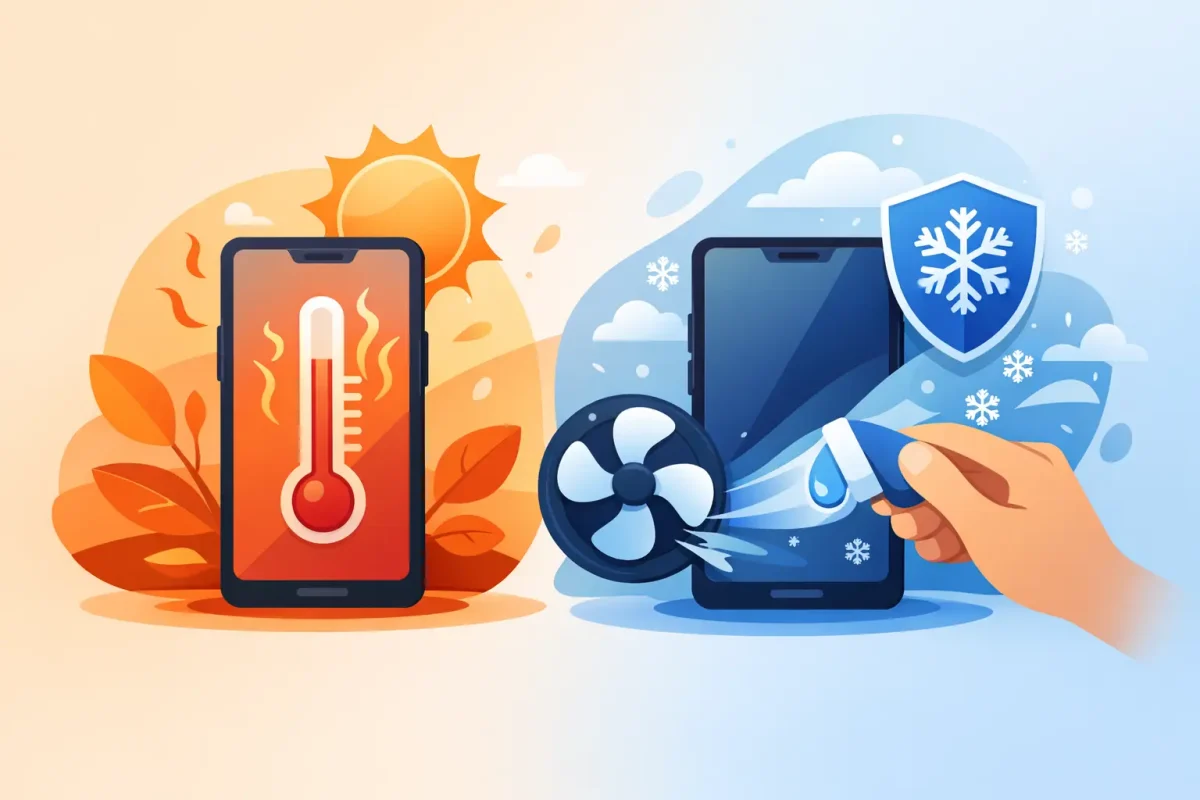
A phone that feels warm after a video call is usually normal. A phone that is too hot to hold, shuts itself down, slows to a crawl, or displays a temperature warning needs attention right away. Knowing how to fix phone overheating starts with removing the immediate heat source, then figuring out whether the problem is an app, charger, battery, or internal damage.
Heat can shorten battery life, affect performance, and in serious cases damage the screen, charging system, or other internal components. The good news is that many overheating problems have a simple fix. The key is to cool your phone down safely instead of using a shortcut that creates a bigger repair.
How to Fix Phone Overheating Safely
If your phone is overheating, stop using it for a few minutes. Remove it from the charger, take off the case, and move it out of direct sunlight, a hot car, or a warm pocket. Set it on a dry, hard surface in a room-temperature area and let it cool naturally.
Do not put a hot phone in a refrigerator, freezer, or directly in front of an ice pack. Fast temperature changes can create condensation inside the device. Moisture can damage the battery, screen, charging port, cameras, and logic board – even if the phone seems to work normally at first.
Once it has cooled, restart the phone. A restart closes stuck background processes and can clear a software issue that is forcing the processor to work harder than it should. If the phone was charging when it became hot, wait until it is fully cool before plugging it in again.
Start With the Most Common Causes
Overheating is often tied to what the phone is doing at the time. Streaming, navigation, gaming, video recording, mobile hotspot use, and long video calls all demand more power from the processor, display, and cellular connection. Those tasks naturally create heat, especially in a warm car or outdoors in North Carolina summer weather.
Close apps you are not using and check whether one app is consuming an unusual amount of battery. On iPhone, review Battery settings. On many Android phones, Battery or Device Care settings show which apps are using the most power. Update any app that appears to be draining the battery quickly, or uninstall it if the issue started after you installed it.
Weak cell service can also make a phone run hot. When your phone is constantly searching for a signal, it uses more power than usual. If you are in an area with poor service, connect to reliable Wi-Fi when available or temporarily turn on Airplane Mode if you do not need calls or data.
A software update may help if overheating began after an operating system or app update. Updates often correct battery management and performance bugs. That said, a phone can run warmer for a day or two after a major update while it reindexes photos, files, and apps. If the heat continues beyond that period, treat it as a problem worth investigating.
Check Your Charger and Charging Habits
Charging is one of the most common times a phone gets hot. Some warmth is expected, particularly with fast charging or wireless charging. Excessive heat is not.
Use a quality charging cable and power adapter designed for your phone. Damaged cables, loose connectors, low-quality adapters, and counterfeit accessories can deliver inconsistent power or cause charging components to work harder. If the charging cable is bent, frayed, discolored, or unusually hot, stop using it.
Avoid charging under a pillow, blanket, couch cushion, or pile of papers. Those materials trap heat around the phone. A thick case can do the same, so remove it during charging if your device regularly gets warm. Also avoid gaming, streaming, or using GPS while charging. The phone is trying to recharge while actively spending power, which adds unnecessary heat.
Wireless chargers are convenient, but they can run warmer than a cable because energy transfer is less efficient. Make sure the phone is centered on the charging pad and remove metal accessories, thick cases, or credit card holders that may interfere with charging. If wireless charging consistently causes overheating, switch to a known-good wired charger and see whether the issue improves.
Watch for Signs of a Failing Battery
An aging or damaged battery can cause heat even when the phone is not doing much. Batteries wear down over time, and heat itself speeds up that wear. If your phone is older, gets hot during basic tasks, loses battery percentage quickly, or turns off unexpectedly, the battery may be the real issue.
Pay close attention to these warning signs:
- The back of the phone is lifting, separating, or no longer sits flat.
- The screen is pushing outward or has developed pressure spots.
- The phone gets hot while idle or while using a basic app.
- Battery life drops suddenly, or the device restarts without warning.
A swollen battery is a safety issue. Stop charging and using the phone, do not press the screen or back cover into place, and do not try to open the device yourself. A certified technician can inspect the phone and replace the battery safely.
Consider Water Damage, Drops, and Internal Repairs
Overheating after a drop, cracked back glass, liquid exposure, or charging-port issue can point to internal damage. A phone does not have to be completely dead for water damage to cause trouble. Corrosion can develop over time and create unstable connections that drain power and generate heat.
Damage around the charging port can also lead to inconsistent charging. Lint, debris, bent pins, or moisture in the port may prevent a solid connection. Do not use a metal object to dig inside the port. You can damage the pins or push debris farther in. If you can clearly see loose lint near the opening, gently use a dry, soft brush, but stop if the problem continues.
Back-glass damage matters more than appearance. On many modern phones, the rear housing protects the battery and internal components. A severe crack can let in dust and moisture, while a bent housing can put pressure on the battery. If overheating began after damage, a professional diagnostic is the safer choice than repeatedly restarting and hoping the problem disappears.
When to Turn the Phone Off
Turn your phone off if it is extremely hot, repeatedly displays a temperature alert, smells unusual, produces smoke, has a swollen battery, or becomes hot while it is not being used. Do not charge it again until the cause has been checked.
If the phone is still responsive, back up important photos, contacts, and files once it has cooled. Do not keep pushing through warning messages because you need the phone for work, school, or directions. Heat-related damage can turn a repairable battery or charging issue into a much more expensive problem.
When Professional Repair Makes Sense
A quick diagnostic is worthwhile when basic cooling steps do not solve the problem, when overheating returns every day, or when it happens during normal use. The cause may be a failing battery, damaged charging port, faulty screen component, software problem, or internal board issue. Proper testing helps avoid replacing the wrong part.
Device Doctor can inspect overheating phones from Apple, Samsung, Google Pixel, Motorola, LG, OnePlus, and other major brands. For customers in Pineville, Concord, and nearby Charlotte communities, certified technicians can check the battery, charging system, liquid indicators, and internal condition before recommending a repair. You should get a clear explanation of what is wrong and what it will cost – no hidden fees and no guesswork.
Your phone should be useful, not too hot to trust. Cool it naturally, rule out the charger and demanding apps, and take recurring heat seriously. Acting early can protect your battery, your data, and the device you depend on every day.