


How to Clean Charging Port Without Damage
September 16, 2026
What a Device Repair Warranty Should Cover
September 18, 2026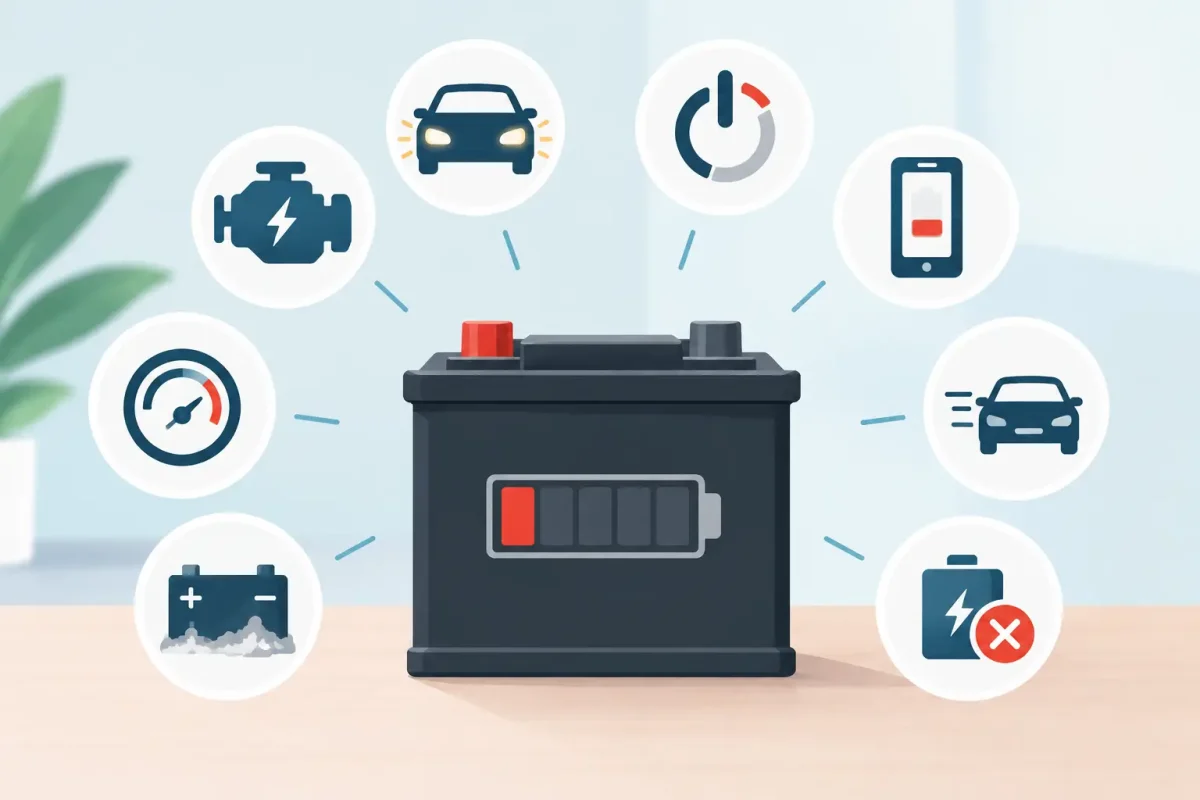
A phone that drops from 30% to 2%, a laptop that dies the moment it leaves the charger, or a tablet that feels unusually warm can turn a normal day into a problem fast. If you are asking, “when should I replace battery,” the answer is usually not based on one bad day. It is based on a pattern of reduced runtime, unreliable charging, or physical warning signs that get worse over time.
A battery replacement can often restore the device you already know and rely on for work, school, travel, gaming, and family life. The key is catching the problem before a weak battery leaves you stranded or causes damage to the device.
When Should I Replace a Battery in My Device?
Replace a battery when it no longer provides dependable use between charges, when it creates a safety concern, or when the cost of repair makes more sense than living with daily interruptions. Rechargeable batteries are consumable parts. Every charge cycle gradually reduces their ability to hold energy, even when you take good care of your device.
For many smartphones, noticeable battery wear begins after about two to three years of regular use. Laptops, tablets, and game controllers can follow a similar timeline, although heat, heavy gaming, frequent fast charging, and constant use can shorten it. Age alone is not the deciding factor. A three-year-old device that lasts all day may not need service, while a one-year-old device that shuts down unexpectedly deserves a closer look.
1. Your Battery Drains Much Faster Than It Used To
This is the most common sign. Think about how long your device lasted when it was newer. If your phone used to make it through a full workday and now needs two or three charges, the battery may be losing capacity.
Before blaming the battery, check for a recent software update, an app using unusual amounts of power, or poor cell service. These issues can increase drain temporarily. But if the shorter battery life has been building for months, even after adjusting settings and closing power-hungry apps, replacement is often the practical fix.
2. The Percentage Jumps, Freezes, or Drops Suddenly
A healthy battery should discharge steadily. If your phone falls from 45% to 10% in a few minutes, stays stuck at one percentage for a long time, or turns off while it still shows a charge, the battery may no longer be reporting its capacity accurately.
Unexpected shutdowns are especially frustrating because you cannot trust the number on the screen. This is a common reason people replace batteries in older iPhones, Samsung Galaxy phones, Google Pixel devices, and tablets. It can also happen with laptops that report plenty of charge but immediately power off when unplugged.
3. Your Device Is Slow During Everyday Tasks
Battery health can affect performance, particularly on some phones that manage speed to prevent unexpected shutdowns as batteries age. If basic tasks such as messaging, opening maps, switching apps, or taking photos feel slower than usual, a worn battery may be part of the issue.
Slow performance does not automatically mean you need a battery. Low storage, outdated software, and failing hardware can cause similar symptoms. A professional diagnostic can separate a battery issue from a software or storage problem, so you do not pay for the wrong repair.
4. It Only Works Reliably When Plugged In
A laptop that shuts off within minutes of unplugging is giving you a clear answer. The same goes for a phone or tablet that must stay connected to a charger to make it through normal use. At that point, the device is no longer portable in any meaningful way.
Replacing the battery is usually worthwhile if the screen, charging port, and main functions are still in good shape. It is often far less expensive than replacing the whole device, especially when the device still meets your needs.
5. The Battery Takes Too Long to Charge or Will Not Reach 100%
Long charge times can point to a worn battery, but they can also indicate a damaged charging cable, weak power adapter, dirty charging port, or software issue. If your device charges slowly with several known-good chargers, or stops at 70% or 80%, it is time for a diagnostic.
Do not assume a new battery will solve every charging problem. A loose charging port, corrosion from moisture, or debris packed into the port can produce nearly identical symptoms. The right repair starts with identifying the failed part.
6. The Device Gets Excessively Hot
Some warmth while charging, gaming, streaming, or using navigation is normal. Excessive heat is different. If the device becomes too hot to hold comfortably, displays a temperature warning, or stays hot during light use, stop charging it and have it checked.
Heat speeds up battery wear and can also be caused by a struggling app, damaged charging accessory, or internal hardware issue. Avoid placing a hot device under a pillow, in direct sunlight, or in a hot car. Those conditions increase the risk and can make a weak battery fail sooner.
7. The Screen or Back Cover Is Lifting
A swollen battery is an urgent warning sign. You may notice the screen separating from the frame, a back cover that no longer sits flat, or a device that rocks on a table. Do not press the screen or case back into place, and do not keep charging the device.
Battery swelling can damage the display, cables, and internal components. It also presents a safety risk. Power the device down if you can, keep it away from heat and flammable materials, and bring it in for service as soon as possible. This is not a repair to delay or attempt at home.
8. Battery Health Settings Show Significant Wear
Many devices provide battery health information in their settings. On compatible iPhones, for example, maximum capacity and service messages can help explain shorter runtime. Some Android phones and laptops provide diagnostics through their settings or manufacturer tools.
A maximum capacity around 80% is often a useful benchmark for considering replacement, especially if you notice real-world problems. Still, the number is only part of the picture. A device at 84% that dies unexpectedly may need attention sooner than one at 79% that still works reliably for your day.
Battery Replacement or a New Device?
The best choice depends on the rest of the device. A battery replacement makes sense when your phone, tablet, laptop, or console is otherwise working well and still receives the software or game support you need. It is a smart way to extend the life of a device you are comfortable using.
Replacing the device may be the better value when there are multiple major issues at once, such as a failing battery, cracked display, water damage, unreliable charging port, and outdated software support. There is no one-size-fits-all answer. A clear diagnostic and upfront repair estimate make the decision easier.
For a newer device, battery service is almost always worth considering before shopping for a replacement. For an older device, compare the repair cost with its current condition, storage capacity, performance, and whether it can still handle your daily apps or work.
How to Make a Battery Last Longer
You cannot stop battery aging, but you can reduce unnecessary wear. Keep your device out of extreme heat, use quality charging accessories, and avoid letting it sit completely dead for long periods. If you store a spare phone, tablet, or laptop for weeks or months, leave it partially charged rather than at 0%.
Fast charging is convenient and generally safe with compatible equipment, but heat remains the enemy. If your device gets hot during charging, remove a thick case when practical, avoid running demanding apps, and move it to a cooler surface. For gaming laptops and consoles, keep vents clear and clean so heat does not build up around internal components.
It is also worth checking battery use settings occasionally. A runaway app, constant background location use, or poor signal in your commute can make a healthy battery seem worse than it is. Simple settings changes may buy you useful time, but they will not restore capacity lost through age.
Get the Right Diagnosis Before You Repair
A dead battery, charging-port failure, software glitch, and damaged charging cable can look similar from the outside. That is why a proper diagnosis matters. You want a straightforward answer, a clear price, and no hidden fees before work begins.
Device Doctor can inspect battery and charging issues for phones, tablets, laptops, Macs, PCs, and game consoles, then recommend the repair that actually fits the problem. Certified technicians can help determine whether a battery replacement will restore reliable performance or whether another issue is causing the trouble.
Do not wait until your device dies in the middle of a shift, class, trip, or game night. If battery life has become unpredictable, getting it checked now can keep a small repair from becoming a bigger inconvenience.






