Samsung Battery Replacement Charlotte Help
August 8, 2026
Phone Water Damage Repair in Charlotte, NC
August 10, 2026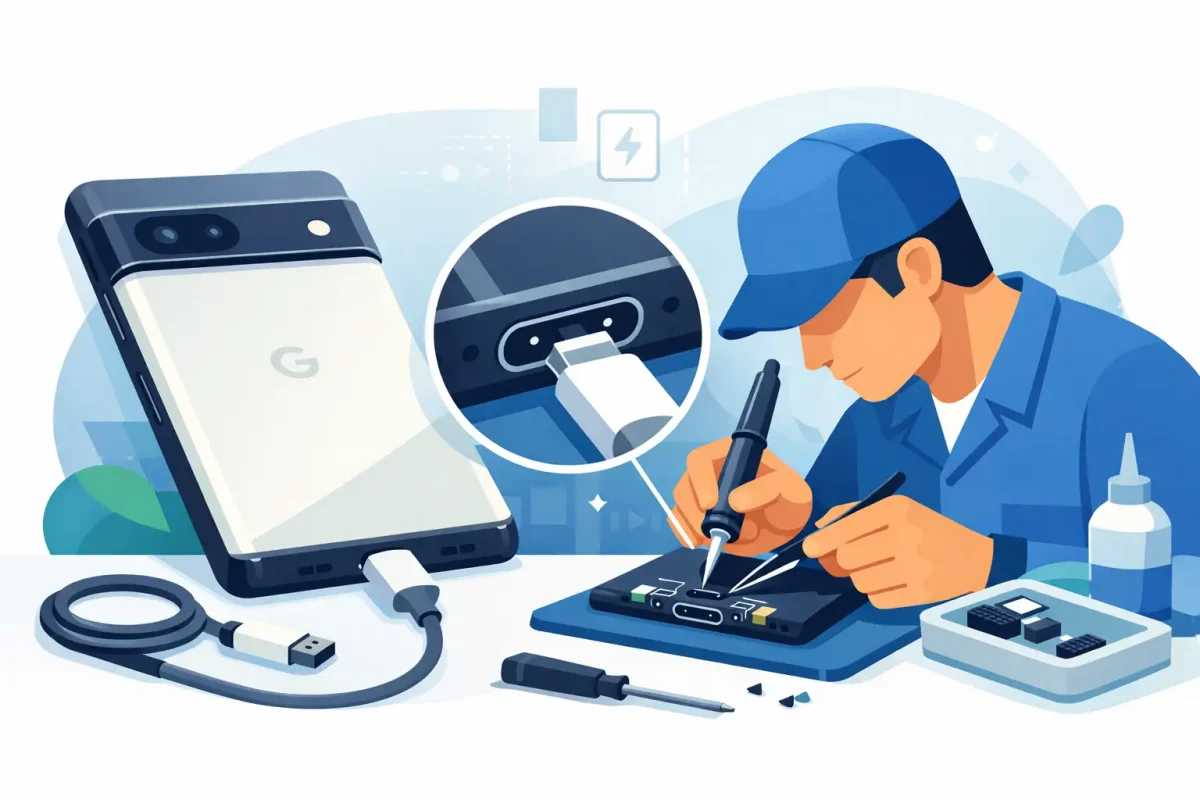
Your Pixel is at 8%, your cable only works at one angle, and the battery icon keeps appearing and disappearing. That is more than an annoyance when you need your phone for work, school, directions, payments, or family calls. Google Pixel charging port repair can restore reliable power, but the right fix depends on why the connection failed in the first place.
A loose cable does not always mean the charging port itself has failed. Packed lint, a worn cable, moisture damage, battery trouble, or a software issue can produce similar symptoms. Getting a proper diagnosis first helps prevent spending money on the wrong repair and protects your Pixel from further damage.
Signs You May Need Google Pixel Charging Port Repair
The clearest sign is a USB-C cable that will not stay firmly connected. It may fall out easily, feel loose, or only charge when you hold it in a specific position. You may also see slow charging, repeated connect-and-disconnect notifications, or no response at all when you plug in a known-good charger.
Other clues are less obvious. Your Pixel might charge normally on a wireless charger but refuse to charge through its USB-C port. It could connect inconsistently to a computer, fail to recognize USB accessories, or show a moisture warning after the phone has been exposed to rain, a spill, or heavy humidity.
A damaged port can also become hot while charging. Stop using the cable if you notice unusual heat, a burning smell, discoloration around the port, or visible bent contacts. Continuing to force a connection can damage the charging assembly, battery, or main board.
Start With the Simple Checks
Before assuming the port needs replacement, test the charging setup. Try another quality USB-C cable and wall adapter, ideally one you know works with another device. Cables wear out often, especially if they have been bent, pulled, or used in a vehicle where the connector gets bumped.
Check the port under bright light without inserting anything into it. Pocket lint can compress tightly at the bottom of a USB-C port, stopping the cable from seating fully even when the opening looks clear. Do not use a metal pin, paper clip, knife, or liquid cleaner. Those can scrape or bend the internal contacts and turn a cleaning issue into a repair issue.
Restart the phone and check whether it charges while powered off. If charging is inconsistent after an update or while the phone is running hot, a software issue may be part of the problem. Still, a software reset cannot repair a loose connector or corrosion inside the port.
If the phone has been wet, do not plug it in to test it repeatedly. Power it off if possible and bring it in for water-damage diagnostics. Moisture and electrical current are a bad combination, and corrosion can continue spreading after the outside of the phone seems dry.
What a Professional Pixel Port Diagnosis Looks For
A professional repair begins with more than plugging in a new cable. A technician checks cable fit, charging behavior, battery performance, USB data connection, visible contamination, and signs of liquid exposure. That process matters because the charging port is only one part of the system that gets power into your phone.
On many Google Pixel models, the USB-C port is mounted on a charging sub-board or connected through internal flex cables. On others, damage around the connector can affect nearby components. A technician needs to determine whether the problem is debris, a worn or damaged port, a failed charging assembly, battery degradation, corrosion, or a board-level issue.
This is also where honest repair advice matters. If cleaning safely restores a solid connection, port replacement may not be necessary. If the port is physically damaged, replacing the charging assembly is usually the more dependable choice. If there is extensive liquid damage or a failed main board, the repair path and cost can be different.
Why DIY Port Repairs Can Cost More Later
Watching a repair video can make a Pixel charging port replacement look simple. The reality is that modern phones are tightly assembled with adhesive, delicate cables, compact screws, and components placed close together. Opening the device can damage the screen, back glass, fingerprint hardware, battery, or water-resistance seals.
The port itself is only part of the risk. A low-quality replacement component may fit poorly, charge slowly, or fail to support reliable data transfer. Reassembly matters too. Pinched cables, missing screws, and improperly resealed housing can create new problems after the original charging issue is gone.
There is a reasonable middle ground for owners who want to troubleshoot first: test a different cable and adapter, inspect the port, and avoid forcing anything into it. Once the connection remains loose or charging cuts in and out, professional service is usually the safer and faster route.
What Happens During a Google Pixel Charging Port Repair
After diagnostics confirm a damaged port or charging assembly, the technician carefully opens the phone, disconnects the battery, and accesses the affected component. The damaged port assembly is replaced or repaired as the model requires. The device is then reassembled and tested for charging stability, cable fit, and basic USB functionality.
The exact turnaround depends on your Pixel model, the extent of damage, and parts availability. Straightforward port repairs can often be completed quickly, while liquid damage or board-level problems may require more time for inspection and testing. A good repair shop should explain what it found, what repair is recommended, and what the expected cost will be before work begins.
Ask whether the repair includes post-repair testing and whether the shop stands behind its work. Clear answers are more useful than a vague promise that the phone will be fixed. You should know whether the issue is isolated to the port or whether the battery, charging circuit, or water damage affects the repair decision.
Repair or Replace Your Pixel?
For a Pixel that otherwise works well, charging port repair is often a practical way to extend its life. Replacing a port is generally far less expensive than replacing a phone, and it lets you keep your apps, photos, settings, and familiar device without the hassle of moving everything to a new model.
Replacement may make more sense if the phone has several major problems at once, such as severe screen damage, a weak battery, major water exposure, and unreliable charging. Even then, it is worth getting a diagnosis. You may find that one targeted repair solves the issue and gives you more time before upgrading.
Back up your Pixel as soon as you can if it still powers on. Use wireless charging if your model supports it and it is functioning normally, but treat that as a temporary workaround rather than proof that the phone is fully healthy. A wireless charger will not restore USB data transfer or fix physical damage inside the port.
Fast Local Help for a Pixel That Won’t Charge
When your phone will not charge, waiting days for a mail-in process can be difficult. Local repair gives you the chance to explain exactly what happened, have the device inspected, and get a clear recommendation without technical runaround. Device Doctor serves Charlotte-area customers with certified technicians, transparent pricing, and convenient repair options for Google Pixel phones and other major device brands.
Bring the cable and charger that have been giving you trouble if you can. They can help rule out an accessory problem during testing. If your Pixel was dropped or exposed to liquid, mention that too – those details can point to the real cause faster.
A charging port problem does not have to leave you tied to a wall outlet or shopping for a replacement phone before you are ready. The safest next step is simple: stop forcing the cable, protect your data, and have the charging system checked before a small connection problem becomes a complete power failure.