PlayStation HDMI Port Repair Charlotte Help
August 13, 2026
School iPad Repair Service for Busy Districts
August 15, 2026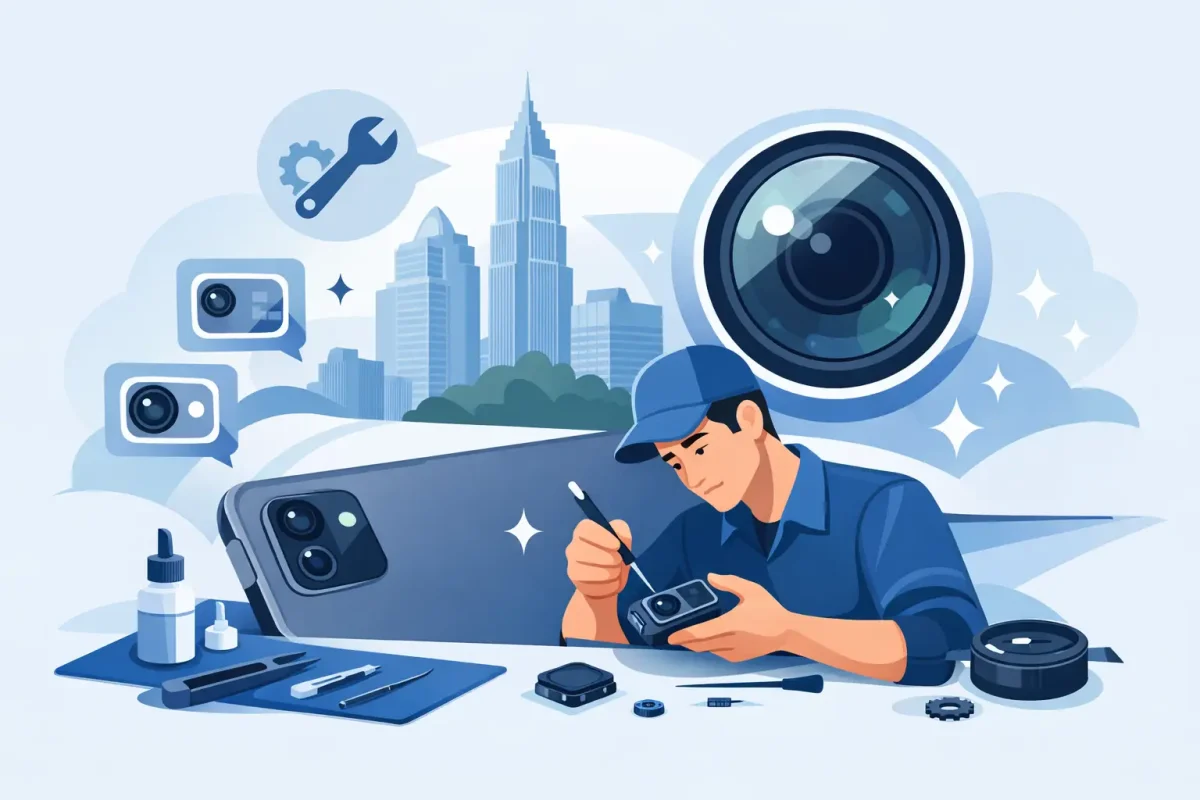
A tablet camera failure usually shows up at the worst possible time: your child’s school project needs a photo, you are joining a video meeting, or you are trying to scan an important document. For tablet camera repair Charlotte residents can count on, the first step is identifying whether the issue is the camera itself, the software, or damage elsewhere in the device. A clear diagnosis keeps you from paying for a repair you do not need.
Signs Your Tablet Camera Needs Repair
A camera that will not open is the most obvious warning sign, but camera trouble is not always that simple. You might see a black preview screen, blurry images that never focus, spots in every photo, flickering video, or an error message when the camera app launches. Front-facing cameras can fail separately from rear cameras, so a tablet may still take pictures while video calls look dark or stay black.
Physical damage often tells part of the story. A cracked screen near the camera, a bent housing, or a recent drop can knock a camera module or its connection out of place. Moisture exposure can also affect the camera, even when the tablet seems to work normally in every other way. Fogging inside the lens, corrosion, and intermittent camera errors should be checked promptly before the problem spreads.
Software can create similar symptoms. An operating-system update, a storage issue, a camera permission setting, or a conflicting app may prevent the camera from working correctly. That is why a technician should test the device before recommending a replacement part.
Common Tablet Camera Problems We Diagnose
Camera problems vary by model and by how the device was damaged. Apple iPads, Samsung Galaxy Tabs, Google tablets, and other Android models use different camera assemblies, connectors, and software systems. The right repair starts with testing the exact device and the exact symptom.
Black Screen or Camera App Will Not Open
A black screen may mean the camera module has failed, but it can also be caused by a software crash or a loose internal connection. If restarting the tablet and trying the camera in another app does not help, professional diagnostics can determine whether the camera needs replacement.
Blurry, Shaky, or Out-of-Focus Photos
Wiping the outside lens with a clean microfiber cloth can remove fingerprints and dust. If images remain blurry, the lens may be scratched, the camera’s focus system may be damaged, or moisture may be trapped beneath the lens cover. Replacing only the damaged part is often more affordable than replacing the entire tablet.
Cracked Lens Glass
The small glass cover over a rear camera can crack after a drop, even if the main screen survives. Continuing to use the tablet with broken lens glass can let dust or moisture reach the camera module. Depending on the model, the repair may involve replacing the lens cover, the camera assembly, or both.
Front Camera Problems During Video Calls
If friends or coworkers see a black screen, a hazy image, or an image that cuts in and out during FaceTime, Zoom, Google Meet, or another calling app, test the front camera in the regular camera app. If it fails there too, the issue is likely hardware-related. If it works in the camera app but not during calls, permissions or app settings may be the cause.
What to Try Before Bringing It In
A few safe checks can rule out a simple software issue. Restart the tablet, install any available system updates, and make sure there is enough free storage for new photos and videos. On Android tablets, review the camera app’s permissions. On iPads, check privacy settings and test the camera in more than one app.
Remove any case or accessory that covers part of the camera opening. Then clean the lens gently with a dry microfiber cloth. Avoid spraying cleaner directly on the tablet or using sharp objects around a damaged lens. Those quick fixes can turn a small camera issue into a larger repair.
If the camera began failing after a drop, impact, or water exposure, skip repeated testing and bring the tablet in. Repeated charging or use after moisture damage can worsen corrosion inside the device.
Tablet Camera Repair Charlotte Customers Can Understand
Good camera repair is not guesswork. A certified technician should inspect the camera function, lens condition, related cables, and software behavior before replacing parts. On some tablets, the camera assembly is a straightforward component repair. On others, damage to the screen, housing, charging port area, or internal board may affect the camera connection.
This is where the trade-off matters. A simple rear-camera replacement may be the practical choice for a newer tablet with plenty of life left. For an older device with a weak battery, cracked display, and camera failure, it may make more sense to compare the total repair cost with a replacement or refurbished device. Honest diagnostics give you that choice without hidden fees or pressure.
At Device Doctor, technicians work on iPads and a wide range of Android tablets, with repair recommendations based on the device’s actual condition. Whether you need a camera module, lens cover, screen repair that protects the camera area, or help with a software-related problem, the goal is to get your tablet back to taking clear photos and handling video calls reliably.
Why DIY Camera Repairs Can Be Risky
Replacing a tablet camera looks simple in short online videos, but tablets are tightly assembled devices. Opening one may require heating adhesive, removing a fragile screen, disconnecting battery power, and handling small cables that tear easily. A camera module may also sit beneath components that must be removed in the right order.
The biggest risk is making the original problem more expensive. A damaged display, torn flex cable, loose connector, or punctured battery can add cost and downtime. DIY repair may be reasonable for someone with the correct tools and experience on that specific model, but most tablet owners are better served by a professional inspection, especially after water damage or a hard drop.
Protect Your Camera After Repair
A protective case with raised edges around the rear camera helps prevent the lens from hitting a table or floor first. Use a screen protector when appropriate, and keep the tablet away from sinks, pools, and humid bathrooms. If you carry it in a bag, give it a padded sleeve instead of placing it next to keys, chargers, or loose metal objects.
It also helps to keep software updated and leave enough storage space for photos and video. If a camera starts behaving oddly again, do not wait for a major failure. Early testing can catch a loose connection or moisture issue before it affects other functions.
Clear photos, dependable video calls, and easy document scanning are everyday tablet essentials, not extras. If your camera is blurry, black, cracked, or inconsistent, bring the tablet to a local repair professional for a diagnosis and a practical path forward.