Laptop Overheating Repair Charlotte: Fast Fixes
August 12, 2026
Tablet Camera Repair Charlotte for Clear Photos
August 14, 2026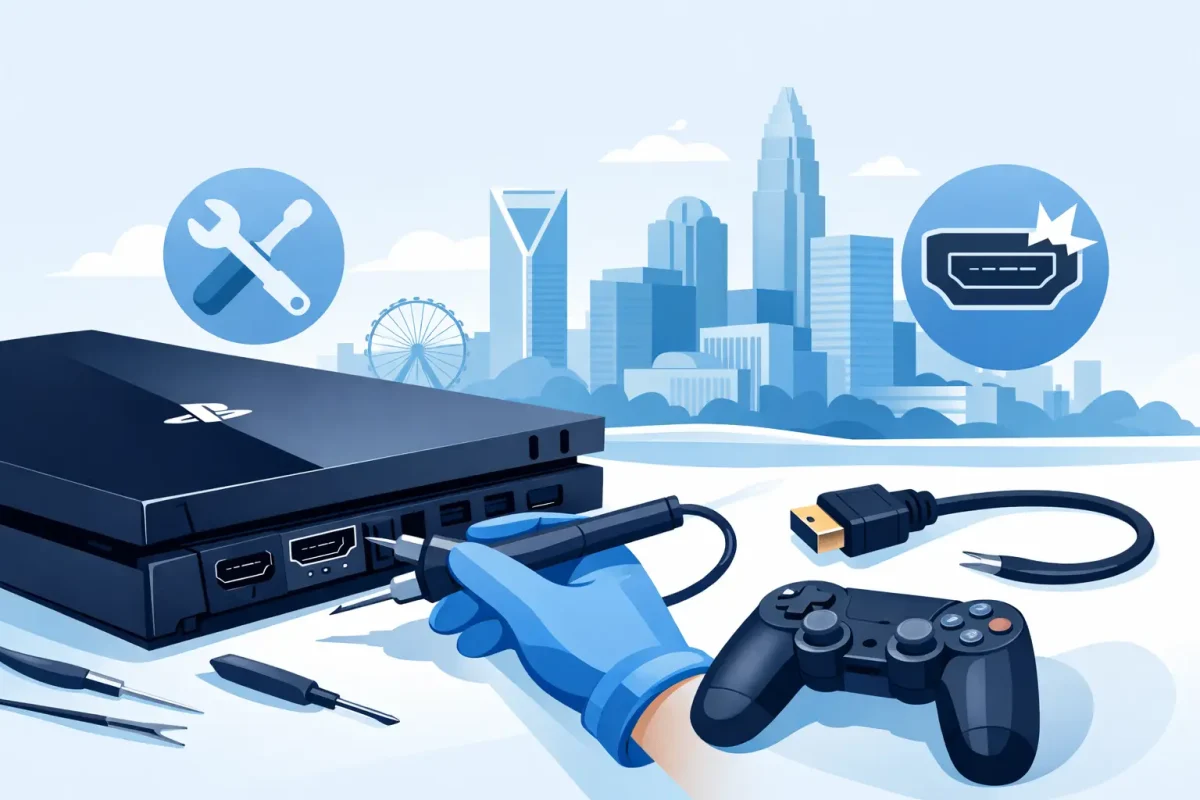
Your PlayStation powers on, the controller connects, and you are ready to play – but the TV says “No Signal.” That frustrating problem often points to one small but critical part: the HDMI port. For PlayStation HDMI port repair Charlotte gamers can count on, the first step is identifying whether the port itself is damaged or whether another issue is stopping the picture from reaching the screen.
A loose cable, a bent connector, a flickering image, or a port that only works when the cable is held at a certain angle can all signal HDMI damage. The good news is that a damaged HDMI port is usually repairable. The right repair involves careful diagnostics, precision soldering, and a complete video test before you take your console home.
Signs Your PlayStation HDMI Port Needs Repair
HDMI ports take more wear than most console components. Every time a cable is plugged in, pulled out, bumped behind an entertainment center, or bent under the weight of a mounted TV setup, the tiny pins inside the port can be affected. One hard pull can loosen the connection from the motherboard.
The most common symptom is a blank screen or a “No Signal” message even though the console powers on. You may also see a picture that cuts in and out, colored lines, static, flashing, a distorted display, or an image that appears only after moving the cable. In some cases, the HDMI cable will feel unusually loose or will not sit securely in the port.
Not every display problem is a broken port. A failing HDMI cable, the wrong TV input, an issue with a receiver or switch, or a PlayStation video setting can create similar symptoms. That is why a proper diagnosis matters. Replacing a port when the actual problem is a cable or display setting wastes time and money.
What Causes HDMI Port Damage?
Physical stress is the leading cause. This can happen when a console falls with a cable connected, when a cable is pulled sideways, or when the system is moved without unplugging it first. Tight spaces behind a TV can also put constant pressure on the HDMI cable and port.
Wear can build up gradually, too. Gamers who travel with a PlayStation, move it between rooms, or frequently connect it to different screens naturally put more use on the port. Dust and debris inside the opening can prevent the cable from seating correctly, while bent cable ends can damage the delicate connector pins.
There is also a difference between a damaged HDMI port and a deeper motherboard issue. If the port looks normal, feels secure, and the console still has no picture after testing known-good equipment, the problem may involve an HDMI encoder, filter, fuse, or another board-level component. A technician should inspect the full video path before promising a specific repair.
Why HDMI Port Repair Is Not a DIY Job
Watching a quick repair video can make HDMI port replacement look simple. In reality, the port is secured to the motherboard with multiple solder points, and its tiny internal pins must line up exactly. Too much heat can lift board pads or damage nearby components. Too little heat can leave weak solder joints that fail again.
A safe repair requires specialized tools, including controlled hot-air equipment, magnification, quality soldering materials, and testing equipment. The console must be opened carefully, the damaged port removed without harming the board, and the new port installed with every connection properly soldered. Then it needs to be tested with a compatible display and cable.
Trying to force a cable into a damaged port is especially risky. It can bend more pins, crack the port from the board, or turn a straightforward port replacement into a more involved motherboard repair. If the cable does not go in smoothly, stop using it and have the console checked.
What to Expect From PlayStation HDMI Port Repair in Charlotte
At Device Doctor, certified technicians begin by checking the simple causes first. That includes inspecting the HDMI port, testing with appropriate cables and displays when needed, and confirming whether the problem is isolated to the connector or requires additional board-level attention. Clear diagnostics help you make a decision with confidence.
If the HDMI port is damaged, the repair process typically includes opening the PlayStation, removing the faulty connector, installing a replacement port, inspecting the solder joints, and testing video output. The goal is not simply to make an image appear for a moment. It is to make sure the cable fits securely and the console produces a stable signal.
Turnaround depends on the console model, the extent of damage, parts availability, and whether there is additional motherboard damage. Many common repairs can be completed quickly, but a heavily damaged board may require more time. A trustworthy repair shop should explain the issue, provide straightforward pricing, and let you know what to expect before work begins. No hidden fees and no confusing technical runaround.
For Charlotte-area gamers, convenient help is available at Device Doctor locations in Carolina Place Mall in Pineville and Concord Mills Mall in Concord. Bringing the console to a local repair team can be much easier than mailing it away and waiting without updates, particularly when game night or a weekend with the family is on the line.
Before You Bring in Your Console
There are a few safe checks worth trying before scheduling a repair. Test the PlayStation with a different HDMI cable that you know works. Plug it directly into another TV input, avoiding splitters, receivers, and adapters for the test. Confirm the TV is set to the correct input.
Look into the HDMI port with a flashlight, but do not insert metal tools, toothpicks, or anything that can bend the pins. If you see obvious bent pins, a cracked port, debris that will not come out easily, or a port that moves when the cable is inserted, stop testing. Continued use can cause more damage.
If your PlayStation has been exposed to liquid, dropped, or hit by a power surge, mention that during the diagnostic. Those details can affect what the technician looks for and whether an HDMI port replacement alone will solve the problem.
Protecting the New HDMI Port
Once your video signal is restored, a few habits can help protect the repair. Use a cable with a good fit rather than one that feels loose or requires force. Leave enough slack behind the TV or console so the cable is not pulled at an angle. When moving the PlayStation, unplug the HDMI cable first instead of carrying the system with the cable attached.
If your setup is in a crowded media cabinet, consider the cable path. A sharply bent cable or one pressed against the wall can put stress on the port every day. A small adjustment now can prevent another repair later.
A no-signal PlayStation does not have to mean replacing the console. Start with a professional diagnostic, get a clear answer, and give your game system the careful repair it deserves so you can get back to playing without staring at a blank screen.