


Device Restoration: Repair, Refresh, or Replace?
September 25, 2026
How to Remove Laptop Malware Without Losing Files
September 27, 2026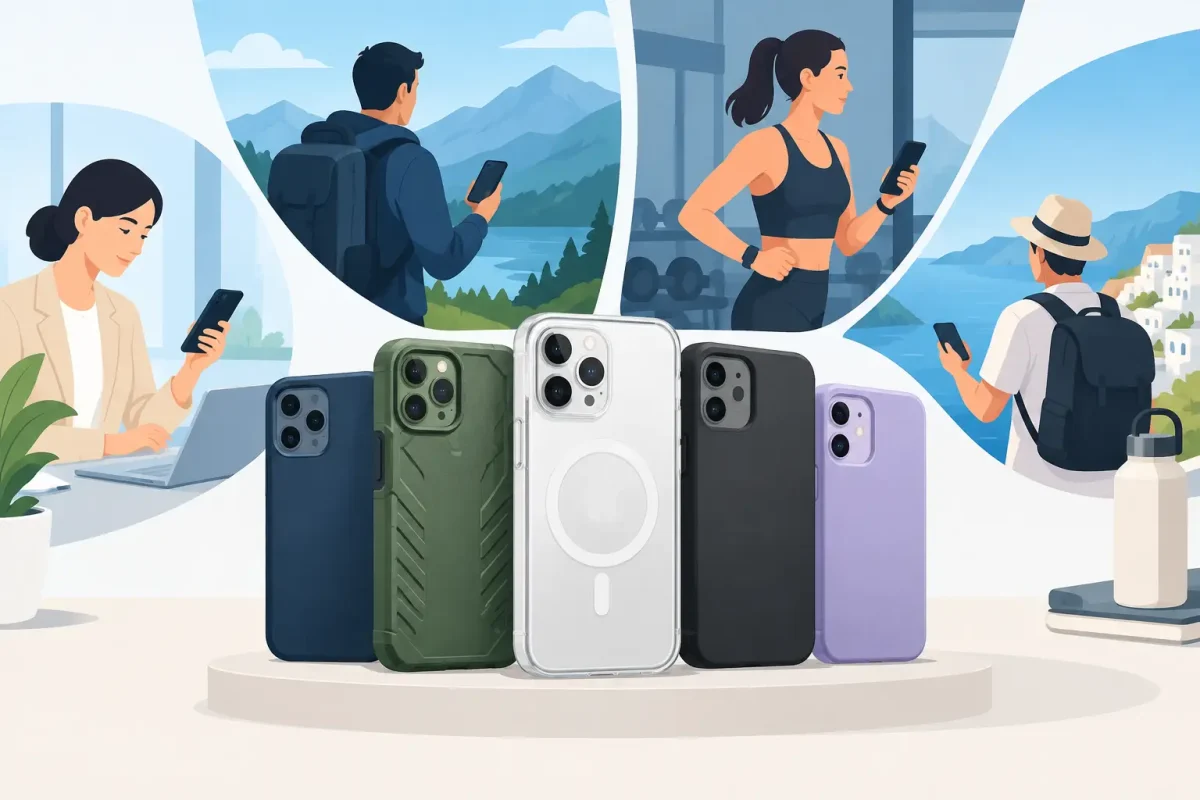
A phone usually hits the ground at the worst possible moment: stepping out of the car, rushing between classes, or reaching for it one-handed at work. The best protective cases for phones are not necessarily the thickest or most expensive. They are the ones that fit your device correctly, match how you use it, and give vulnerable parts a real chance of surviving a drop.
A case cannot guarantee that a screen or back glass will never crack. Angle, surface, and drop height still matter. But a well-chosen case can reduce the force of an impact, keep raised surfaces away from concrete, and give you better grip before a fall happens. That is a much better deal than dealing with a cracked screen, damaged camera, or bent phone frame later.
Start With Your Actual Risk Level
The right case depends on where your phone spends its day. A slim case can be a great choice for someone who works at a desk, keeps their phone in a purse, and wants to preserve the feel of a new iPhone, Samsung Galaxy, or Google Pixel. It adds grip and helps with minor drops without making the phone hard to carry.
If you commute, work outdoors, have young children, use your phone around tools, or regularly drop it on pavement, a hybrid or rugged case makes more sense. These models combine a firm outer shell with a softer shock-absorbing layer. The trade-off is bulk. A more protective case may feel wider in your hand, weigh more, and fit less comfortably in a pocket.
For many people, the sweet spot is a mid-profile hybrid case. It has reinforced corners, raised edges, and a secure fit without turning a modern phone into a brick. Protection only works when you are willing to keep the case on.
What Makes the Best Protective Cases for Phones Work
Marketing labels can get confusing fast. Focus on the physical details that protect a phone where it is most likely to fail.
Raised Edges Protect More Than the Screen
Look for a lip around the display that sits slightly above the glass when the phone is placed face down. The same goes for the rear camera area. A case with a raised camera surround helps prevent scratched camera lenses and can reduce the chance of an impact landing directly on that bump.
The lip does not need to be dramatic. It just needs to be high enough to create separation between the glass and the surface below it. If you use a screen protector, check that the case edge does not press against it and cause lifting around the sides.
Reinforced Corners Matter on Real-World Drops
Phones often land on a corner first. That is why air-cushioned, thickened, or reinforced corners are worth prioritizing. These areas are designed to compress or spread out impact energy before it reaches the frame, screen, and internal components.
A case with corner protection is especially useful on phones with edge-to-edge screens and glass backs. Even if the front glass survives, a hard corner impact can damage the housing, loosen internal connections, or crack the back panel.
Secure Fit Is Non-Negotiable
A loose case is not protective. It can shift during a drop, expose an edge, trap grit against the phone, or fall off altogether. Buy for your exact model, not just the phone family. An iPhone Pro case will not fit a Pro Max, and a Galaxy S model case may not fit the similar-looking Plus or Ultra version.
Check the fit around the charging port, speakers, buttons, camera lenses, and side rails. Buttons should remain easy to press, not mushy or unusually stiff. The case should not interfere with a charging cable seating all the way into the port.
Choose a Case Style That Matches Your Routine
Slim cases are best for low-risk use and people who want a light, clean look. Choose one made from quality TPU or a flexible material with textured sides, not a slick hard plastic shell that is easy to drop. Thin does not automatically mean weak, but it usually offers less protection from high-impact falls.
Hybrid cases are the everyday choice for most owners. They typically use a flexible inner layer for shock absorption and a hard exterior for structure. Look for models with covered corners and a defined screen lip. This style works well for students, busy families, office professionals, and commuters.
Rugged cases are built for higher-risk environments. They may have thicker bumpers, port covers, a built-in kickstand, or a holster. They are a practical choice for construction sites, warehouses, delivery routes, outdoor activities, and anyone who has already cracked more than one phone. Just make sure extra thickness does not make the phone harder for you to hold. A case that causes hand strain can create its own drop risk.
Wallet cases protect the screen when closed and make it easy to carry a few cards. They are convenient, but they can be bulky and may not stay closed during a fall. If you choose one, use the folio cover consistently and avoid overstuffing the card slots.
Water-resistant pouches and fully sealed cases serve a specific purpose around pools, beaches, boating, and wet job sites. Do not assume an everyday case makes your phone waterproof. Even water-resistant phones can suffer damage after a hard drop, worn seals, or exposure to salt water. Keep in mind that charging ports and speakers need time to dry before charging.
Do Not Skip Screen Protection
A protective case and a tempered-glass screen protector work better together than either one does alone. The case helps absorb impact and keeps the display from contacting flat surfaces. The screen protector takes scratches and may crack first, sparing the display underneath.
A cracked screen protector is not proof that your phone screen would have broken without it, but it is still doing a useful job by taking the damage itself. Replace it when it becomes chipped, badly cracked, or begins lifting at the edges. It can also make sharp glass safer to handle.
For phones with curved screens, foldable displays, or in-display fingerprint sensors, compatibility matters more. Use a protector designed for your exact device and follow installation instructions carefully. A poorly installed protector can reduce touch sensitivity or interfere with fingerprint recognition.
Check Charging, Magnets, and Accessories Before You Buy
If you use wireless charging, verify that the case supports it. Thick cases, metal plates, card holders, and poorly positioned magnets can reduce charging performance or cause intermittent connections. For iPhone users who rely on MagSafe accessories, choose a case with a properly aligned magnetic ring rather than assuming any magnetic case will hold securely.
The same attention applies to car mounts, pop grips, lanyards, and gaming triggers. A case that fits your phone may still be wrong for your accessories. Think about what you use every day before choosing based on color alone.
Clear cases deserve special consideration. They show off the phone, but lower-quality clear materials can yellow, scratch, and become slippery over time. A clear case with reinforced corners and an anti-yellowing material is usually worth the small price difference. Clean any case periodically, too. Dust and sand caught inside can scratch a phone’s finish.
A Quick Buying Check Before You Leave the Store
Before committing to a case, make sure it meets these practical standards:
- It is made for your exact phone model and camera layout.
- It has raised edges around the screen and rear cameras.
- It includes corner protection and does not flex away from the frame.
- It supports your preferred charging method and daily accessories.
- It feels secure in your hand, not slick, awkward, or excessively heavy.
Do not let a low price be the only deciding factor. The cheapest case may still be enough for a careful user, but poor button alignment, thin corners, and loose fit are common warning signs. Spending a little more on the right case can help you avoid a much larger repair bill.
When a Case Is Not Enough
A case cannot reverse damage from an earlier drop. If your phone has flickering lines, dark spots, touch issues, a loose charging port, camera problems, or a cracked back, continuing to use it without an inspection can sometimes make matters worse. Glass damage can spread, moisture can enter through cracks, and an exposed camera lens can lose image quality.
Device Doctor sees these issues every day, from a simple cracked iPhone screen to damaged Samsung back glass and charging problems after a hard fall. Certified technicians can diagnose the damage, explain the repair options clearly, and help get the device back to work without hidden fees.
The best case is the one you will use every day, not the one that looks toughest on a shelf. Pick protection that fits your routine, pair it with a quality screen protector, and replace a worn-out case before the next drop gets a chance to test it.






