

Why Phone Battery Drains Fast and What to Do
September 24, 2026
Best Protective Cases for Phones That Fit Your Life
September 26, 2026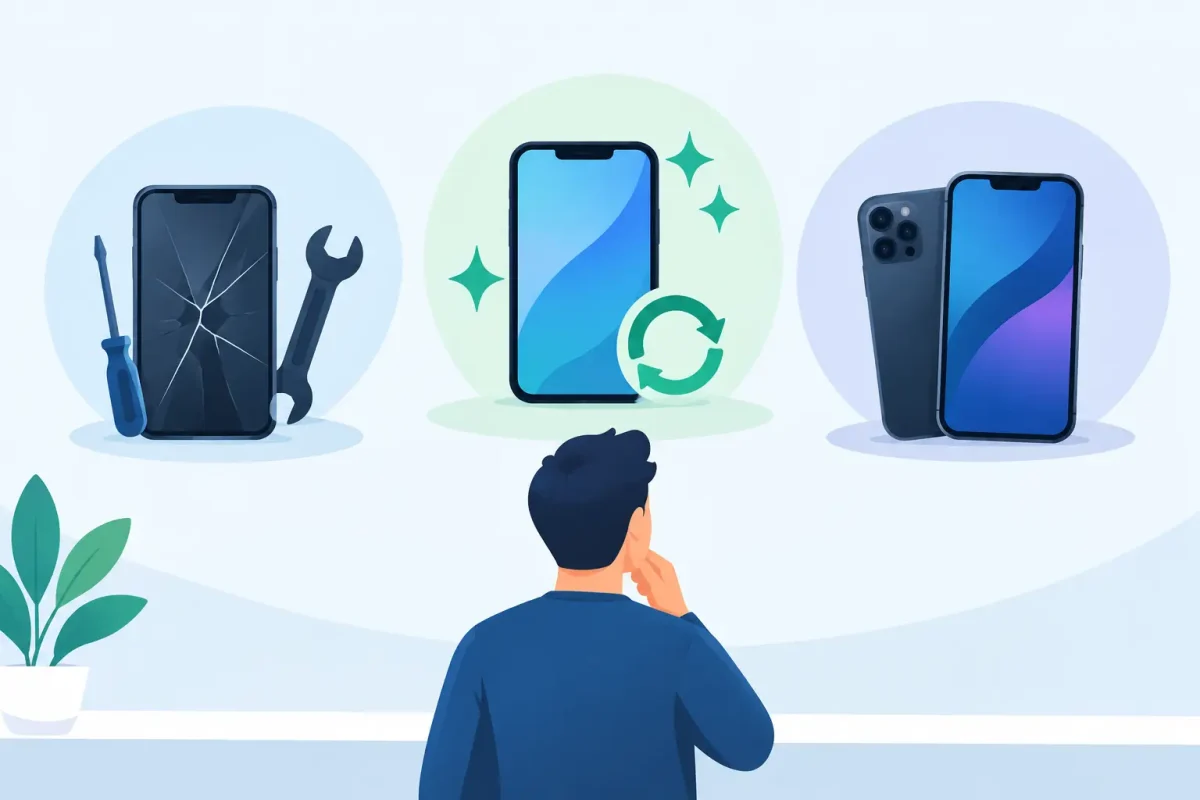
A cracked phone screen is obvious. A laptop that runs hot, a tablet that dies at 30%, or a game console that will not power on can be harder to judge. Is it time to replace the device, or can a professional repair bring it back? Device restoration is the practical process of finding the real problem, repairing what failed, and returning your technology to dependable daily use.
For most people, the decision comes down to three things: how much the device is worth to them, how much life it has left, and whether the repair addresses the actual cause. A clear diagnosis keeps you from spending money on a temporary fix or replacing a device that still has years of useful service ahead.
What Device Restoration Actually Means
Device restoration is more than making a damaged device look better. It can involve replacing a broken screen, worn battery, damaged charging port, cracked back glass, failed camera, sticky button, or damaged housing. It also includes the less visible work that matters just as much, such as software troubleshooting, water-damage diagnostics, and resolving power, charging, or performance issues.
The right repair depends on what happened and how the device behaves now. A phone that will not charge may need a charging-port repair, but it could also have battery damage, debris packed into the port, liquid exposure, or a board-level issue. Replacing a part before identifying the cause can waste time and money. That is why a proper diagnostic is the first step in a repair decision.
Restoration can apply to smartphones, iPads and tablets, Macs and PCs, and gaming systems. The goal is straightforward: restore the functions you rely on without adding unnecessary complexity or surprise costs.
When Repair Makes More Sense Than Replacement
Replacement can be the right call, especially when a device is outdated, repeatedly failing, or unable to run the software you need. But many common failures are isolated problems, not the end of the device.
A screen replacement is often a smart choice when the phone still performs well, holds a reasonable charge, and meets your needs. The same is true for a battery replacement on a device that has become unreliable by lunchtime but otherwise works normally. A fresh battery can make an older phone, tablet, or laptop useful again without the cost and hassle of moving to a new device.
Charging issues are another good example. When a cable only works at a certain angle, many customers assume the battery is failing. Sometimes the port is dirty or worn instead. Restoring the charging connection can be significantly more affordable than replacing the device, especially for a tablet, laptop, or game console that still works well once it has power.
For families, students, and professionals, repair also avoids the disruption of setting up a replacement device. You may have schoolwork, photos, apps, saved passwords, work files, game saves, and account access tied to the device you already own. If a repair can safely keep that device in service, it can be the easier option as well as the more affordable one.
The Problems That Need Fast Attention
Some issues can wait a few days. Others tend to get worse if you keep using the device as usual.
A cracked screen is not always just cosmetic. Sharp glass can cause injuries, and an opening in the display can let dust or moisture reach internal components. If the display flickers, shows black spots, has colored lines, or stops responding to touch, the damage has likely moved beyond the outer glass.
Water exposure is another issue to treat quickly. Do not keep charging a wet phone, tablet, laptop, or console to see whether it comes back on. Power and moisture are a bad combination. Turn the device off if possible, disconnect accessories, and bring it in for diagnostics. Rice is not a dependable repair method, and waiting can allow corrosion to spread inside the device.
A swollen battery needs prompt attention too. Watch for a lifting screen, separating back cover, unusual heat, or a device that rocks on a flat surface. Do not press the screen or back panel down, puncture the battery, or continue charging it. Battery replacement is a safety repair, not something to put off until the device stops turning on.
A Better Way to Decide on Device Restoration
Before choosing repair or replacement, think about how you use the device. A simple checklist can make the decision clearer:
- Does the device still handle your calls, apps, schoolwork, games, or work tasks well?
- Is the problem limited to one part, such as the battery, display, camera, or charging port?
- Has it suffered liquid damage, repeated drops, or more than one major failure?
- Will the repair cost substantially less than a comparable replacement device?
- Do you need data recovery, account access, or files that are still on the current device?
If the device is otherwise dependable and the issue is isolated, repair is usually worth considering. If it has multiple failures, serious board damage, or performance limits that affect your daily needs, a replacement may make more sense. A trustworthy repair shop should be direct about that distinction instead of pushing a repair that does not offer good value.
Why Diagnostics Matter Before Any Repair
A symptom is not always a diagnosis. A black phone screen may be caused by a failed display, but it could also be a drained battery, damaged connector, software crash, or internal power issue. A console that will not show an image could have an HDMI port problem, a cable issue, or a deeper hardware fault.
Professional diagnostics help narrow down the failure before work begins. This matters most with water damage, intermittent charging, camera problems, Face ID issues, random restarts, and devices that were dropped hard. Certified technicians can inspect the device, test key functions, and explain the repair path in plain language.
It also gives you a more accurate estimate. No hidden fees and clear pricing are not just good customer service. They help you compare the real cost of restoration against replacement before you commit.
Restoring Phones, Computers, and Game Consoles
Every device category has its own common failures. Smartphones often need screen, battery, back-glass, camera, button, and charging-port repairs. Apple devices and Android models from Samsung, Google Pixel, Motorola, LG, OnePlus, and other major brands can have different designs, parts, and repair requirements, so brand-specific experience matters.
Tablets and iPads are frequently used for school, travel, and entertainment, which means cracked screens and charging trouble can interrupt an entire household. A tablet repair is often worthwhile because replacement costs can be high, particularly when the device has plenty of storage and still runs the apps you need.
Laptop restoration may involve a failing battery, broken screen, charging issue, keyboard damage, overheating, or software problems. For a student or remote worker, even a minor laptop issue can turn into a missed deadline. Getting an accurate diagnosis quickly lets you make a decision before downtime becomes expensive.
Gaming consoles need the same practical approach. HDMI port damage, power failures, overheating, controller connection issues, and disc-read problems can take a PlayStation, Xbox, or Nintendo system out of commission. Repair can be a sensible choice when the console is still current and the problem is specific, particularly when replacement inventory or pricing is not favorable.
What to Do Before Bringing in a Device
If the device still turns on, back up your information when possible. Remove the case, accessories, and any personal items attached to it. For phones and tablets, know your passcode and account details if testing may be needed after the repair. Do not share more personal information than necessary, but understand that some functions cannot be fully tested while a device is locked.
If the device is liquid-damaged, overheating, smoking, or has a swollen battery, stop using it. Avoid charging it or trying repeated restarts. These are situations where fast professional help matters more than another round of troubleshooting at home.
For routine damage, take note of when the problem started and what happened just before it appeared. Did the phone fall? Did the laptop get wet? Did the console lose power during a storm? Those details can help the technician diagnose the issue faster.
Get a Clear Answer Before You Replace It
A damaged device can feel like an emergency when you need it for work, school, family communication, or a little downtime after a long day. The good news is that many issues have a practical repair path. Device Doctor provides repairs for phones, tablets, computers, and game consoles with certified technicians, transparent options, and convenient service at Carolina Place Mall and Concord Mills Mall.
Before you spend hundreds on a replacement, get the problem checked. A clear diagnosis can turn a dead battery, cracked screen, failed port, or software issue into a repair you can feel good about – and get you back to using the device that already fits your life.






