


Repair Industry Trends Shaping Device Fixes
October 5, 2026
Top Battery Failure Symptoms You Shouldn’t Ignore
October 7, 2026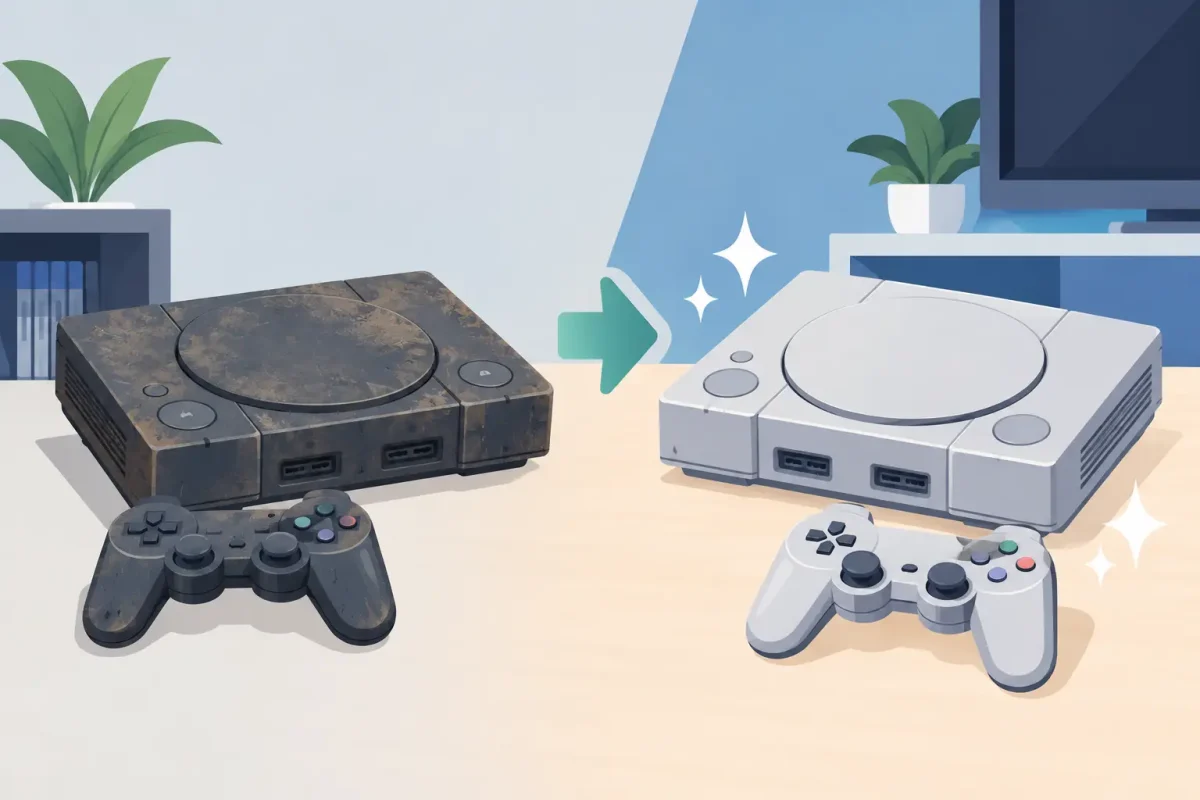
A console can look completely finished and still be one repair away from working again. The most useful console restoration examples are not cosmetic makeovers for display shelves. They are the real fixes that bring back loading screens, controller connections, clear video, charging, and saved-game access when game night is on the line.
Whether it is a PlayStation that will not power on, an Xbox that overheats, or a Nintendo Switch with a damaged charging port, restoration starts with identifying the actual failure. A black screen does not always mean a dead console, and a console that runs loudly does not always need to be replaced. The right diagnosis can keep a repair focused, affordable, and worth doing.
What Console Restoration Really Means
Console restoration can mean anything from replacing a worn HDMI port to correcting a software issue that prevents a system from starting. For newer systems, the goal is usually dependable daily use: stable power, a clear picture, working controls, and safe charging. For older systems, it may also include cleaning corrosion, restoring disc reading, replacing damaged housings, or addressing years of heat and dust buildup.
The best repair is not automatically the biggest repair. If a system has one failed component and is otherwise in good shape, targeted service usually makes more sense than replacing the whole unit. If multiple major parts are failing, a technician should explain the trade-off clearly before work begins.
Console Restoration Examples You May Recognize
PlayStation with no picture on the TV
A PlayStation can turn on, show a white or blue light, and still send no video to the television. Customers often assume the console is dead or that the TV is the problem. Sometimes the cause is as simple as a damaged HDMI cable, but a loose, bent, or worn HDMI port on the console is also common.
A proper restoration begins by testing the console with known-good cables and displays. If the port is damaged, repair may involve replacing it and checking the surrounding connections. This is a good example of why forcing a cable into a loose port is risky. Continued use can turn a repairable connection problem into more extensive board damage.
Xbox that shuts down or overheats
An Xbox that gets hot, sounds like a jet engine, freezes during play, or turns itself off needs attention before the issue gets worse. Dust buildup can restrict airflow, but overheating can also point to a failing fan, dried thermal material, or an internal hardware problem.
Restoration may include a careful internal cleaning and inspection, fan service, and testing under load after the repair. It is not a job for compressed air sprayed blindly through the vents. That can move debris deeper into the console or damage delicate components. A technician can determine whether heat is the primary issue or a symptom of another fault.
Nintendo Switch that will not charge
The Switch is built for travel, backpacks, couches, and long car rides. That convenience also means its charging port sees frequent wear. If the console only charges at a certain angle, disconnects from power, will not charge in the dock, or has a visibly bent port, the port may be damaged.
A charging-port restoration can bring a Switch back to life without replacing the entire device. Before assuming the port is at fault, it is wise to test the charger and dock. If the port needs service, avoid repeated plugging and unplugging with force. The console may still be repairable, but rough use can make the damage more complicated.
Console that will not read discs
A PlayStation or Xbox that rejects discs, makes clicking noises, or keeps asking for the same disc may have a disc drive issue. The problem could involve a dirty or failing laser, a damaged disc mechanism, or software that is not recognizing the media correctly.
This is one of the restoration examples where the age and value of the console matter. For a newer system or a console with a large physical game library, repair can be a practical choice. For an older, heavily worn system with several unrelated problems, it may be worth comparing the repair cost with replacement options. A diagnosis should come before that decision.
Liquid-exposed console with corrosion
Spilled drinks, pet accidents, humidity, and storage in a damp area can lead to corrosion inside a console. The system might work for a while after exposure, then develop power problems, controller issues, or random shutdowns days or weeks later.
Liquid damage restoration is time-sensitive. Turn the console off, unplug it, and do not keep testing it to see whether it recovers. Electricity and moisture can create additional damage each time the system is powered on. Professional diagnostics can identify corrosion and help determine whether cleaning and component-level repair are realistic.
The Difference Between Cleaning and Repair
Cleaning is valuable, especially for consoles that run hot or live near pets, carpets, and entertainment centers. But cleaning alone cannot repair a broken charging port, damaged HDMI connection, failed fan, or power issue. It can also create problems when the wrong tools are used.
Home maintenance is best kept simple: keep vents clear, place the console on a hard, open surface, use the correct power supply, and protect ports from strain. If the system has to be opened, has liquid exposure, or needs a part replaced, professional service is the safer next step.
When Restoration Is Worth It
A console repair is often worth considering when the system is otherwise in good condition, the problem is limited to one area, and the device still meets your needs. It may also be worth repairing when your saved games, downloaded purchases, accessories, or game library make replacement inconvenient.
There are situations where replacement may be the better value. A very old console with extensive corrosion, repeated board failures, or several broken systems may not be a sensible investment. That is why honest diagnostics matter. You should know what is wrong, what repair involves, and whether the result is expected to restore reliable use before approving work.
Protect Your Saved Games Before Service
Whenever a console still turns on, back up your data if possible before bringing it in for repair. Cloud saves can help, but availability depends on the platform, account settings, storage space, and subscription status. External storage or system transfer options may also be available.
A repair that focuses on a port, fan, housing, or other physical component may not affect data, but no electronic repair can guarantee data recovery in every circumstance. If a console is already unresponsive, tell the technician that saved-game access is a priority. That context can affect the diagnostic approach.
Get a Clear Diagnosis Before You Replace It
If your console will not charge, has no video, overheats, will not read games, or keeps shutting off, do not write it off based on one symptom. Bring the console, its power cable, and any accessory that seems connected to the issue. If the problem happens only with a certain controller, dock, or display, bring that too when practical.
For gamers in the Charlotte area, Device Doctor can inspect PlayStation, Xbox, and Nintendo console issues and explain the repair options in plain language. Certified technicians can help separate a simple cable or port problem from a deeper hardware concern, with no guesswork and no hidden fees.
Your console does not need to look brand-new to earn a place back in the setup. It needs to power on, stay cool, connect reliably, and let you get back to the game without wondering whether the next match will be its last.






