


Console Restoration Examples That Save Game Night
October 6, 2026
iPhone Android Repairability Comparison Explained
October 8, 2026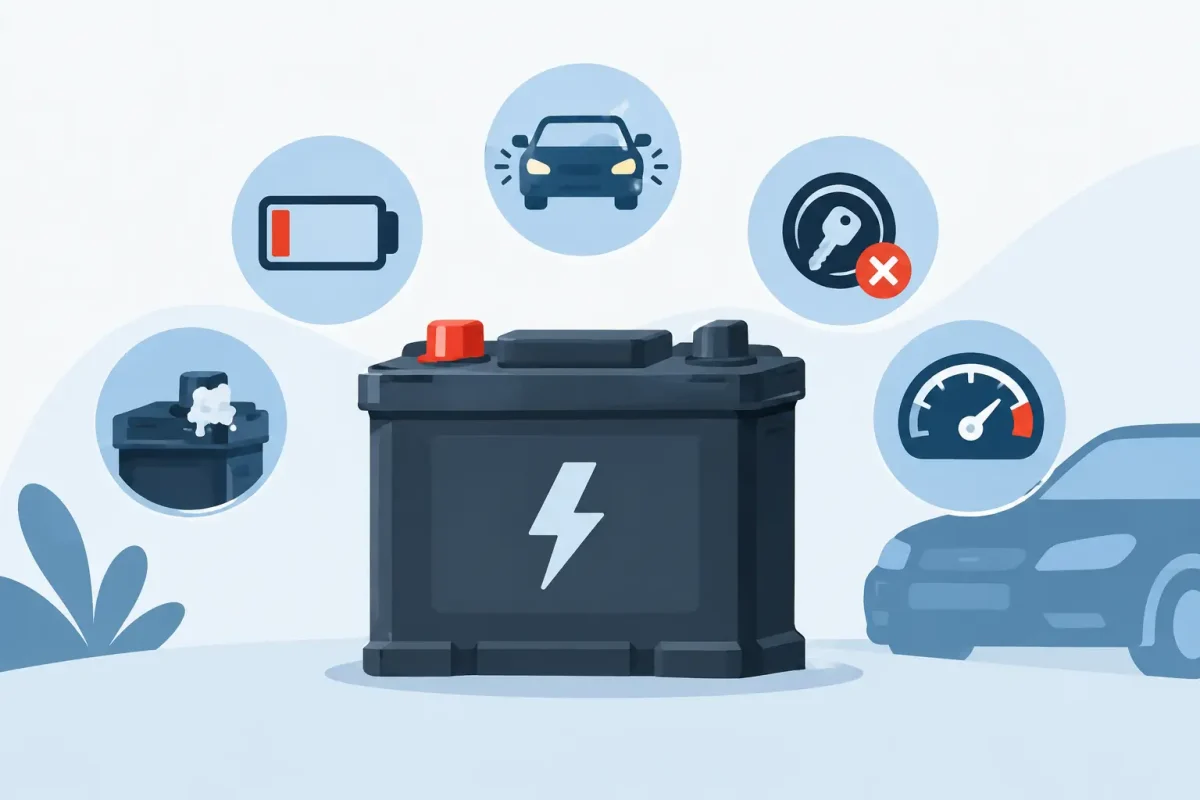
Your phone drops from 40% to dead before lunch. Your laptop only works while plugged in. Your tablet gets unusually warm during a simple video call. These are top battery failure symptoms, and they can turn a small inconvenience into a device that cannot keep up with work, school, navigation, or family life.
A weak battery does not always mean your device is finished. In many cases, a professional battery replacement restores dependable daily use for far less than replacing the entire phone, tablet, computer, or game console. The key is recognizing the warning signs early and knowing when the battery is actually the problem.
Top Battery Failure Symptoms to Watch For
Your battery drains much faster than it used to
A healthy battery should get you through roughly the same kind of day it handled when the device was newer. If your phone used to last until bedtime and now needs two or three charges, battery wear may be catching up with it.
All rechargeable batteries lose capacity over time. Each charge cycle slightly reduces the amount of power the battery can store. Heavy use, heat exposure, frequent fast charging, and age can accelerate that process. You may notice the issue first on an older iPhone, Samsung Galaxy, Google Pixel, iPad, MacBook, or Windows laptop, but any rechargeable device can develop it.
Before assuming the battery has failed, check for a recent software update, a new power-hungry app, or settings such as maximum screen brightness and constant location services. If the drain continues after those basics are checked, a battery diagnostic can provide a clearer answer.
The percentage jumps, stalls, or shuts down early
A battery percentage that behaves unpredictably is one of the clearest signs of trouble. Your device may sit at 30% for a long time, suddenly fall to 5%, or shut off while it still claims to have charge remaining. It may restart and show a different percentage than it displayed before shutting down.
This can happen when an aging battery can no longer deliver steady voltage under demand. Opening the camera, playing a game, using GPS, or taking a video call asks for a quick burst of power. A worn battery may dip too low and force the device off, even though some charge remains.
Sometimes a software glitch or inaccurate battery calibration can cause similar behavior. Restarting the device and installing current software may help. Repeated unexpected shutdowns, however, are worth having checked.
It takes forever to charge or will not hold a charge
Slow charging can point to a failing battery, but it is not the only possibility. A damaged cable, weak power adapter, dirty charging port, or loose charging port can create the same frustrating result. That is why a proper diagnosis matters before replacing parts.
If the device recognizes a charger but takes several hours to gain a small amount of power, the battery may be losing its ability to accept and retain a charge. If it charges to 100% but falls rapidly once unplugged, battery wear becomes even more likely.
Try a known-good charging cable and adapter first. Avoid forcing the plug into the port or digging inside it with metal objects. A charging-port problem and a battery problem require different repairs, and replacing the wrong part will not solve the issue.
Your device feels hot during normal use
Some warmth is normal when charging, streaming, gaming, or running demanding apps. Excessive heat is different. If your phone, tablet, or laptop becomes hot while handling ordinary tasks, the battery or another internal component may be under stress.
Heat can both cause and worsen battery damage. It is especially common after a device has been left in a hot car, used under a pillow or blanket, exposed to direct sun, or charged with a low-quality accessory. Do not keep charging a device that becomes painfully hot, smells unusual, or displays a temperature warning.
A warm device may also be dealing with a background app, charging issue, or internal board problem. Certified technicians can identify whether the battery is the source instead of guessing based on one symptom alone.
The screen or back panel is lifting up
A bulging battery is urgent. If the screen starts separating from the frame, the back glass is lifting, or the device no longer sits flat on a table, stop using it and do not try to press it back into place.
Lithium-ion batteries can swell as they age or become damaged. A swollen battery can put pressure on the display, housing, cables, and other internal parts. Continuing to charge or use it increases the risk of further damage.
Do not puncture, bend, squeeze, or throw away a swollen battery in household trash. Turn the device off if you can safely do so, keep it away from heat and flammable materials, and arrange professional service as soon as possible.
Symptoms That Can Look Like Battery Failure
Not every power problem starts with the battery. A phone that will not charge could have lint packed into its charging port. A laptop that turns off randomly may have overheating, storage, software, or charger issues. A game console that loses power can have a failing power supply rather than a worn battery.
That distinction matters because the best repair is the one that fixes the actual problem. Battery replacement is often a cost-effective solution for an aging device, but it should not be treated as a catch-all answer to every charging or power issue.
Look for patterns. Does the issue occur only when unplugged? Does it happen with multiple chargers? Is the device draining faster after a software update, or has the decline been gradual for months? Those details help narrow down the cause and can make a diagnostic faster.
When to Stop Troubleshooting at Home
Basic checks are reasonable: restart the device, update its software, inspect the cable, try another approved charger, and close apps you are not using. If those steps do not improve battery life, repeated charging cycles are unlikely to reverse normal battery wear.
Do not attempt a battery replacement with improvised tools, especially on devices with glued screens, delicate flex cables, or water-resistance seals. A damaged display, punctured battery, or incorrectly installed part can turn a straightforward repair into a more expensive one.
Bring the device in promptly if it has swelling, extreme heat, sudden shutdowns, liquid exposure, or a charging connection that only works at a certain angle. These symptoms deserve more than a temporary workaround.
What a Professional Battery Repair Can Do
A professional repair starts with checking the device’s charging behavior, battery condition, and related hardware. That helps separate a worn battery from a damaged port, faulty cable, software issue, or broader power problem. Once the cause is confirmed, the repair can focus on restoring reliable use without unnecessary parts or surprise costs.
For Charlotte-area customers, Device Doctor can diagnose battery and charging concerns across many phone, tablet, laptop, and gaming device brands. Fast service is especially helpful when your device is your alarm clock, school tool, work connection, payment method, and map all in one.
A failing battery rarely gets better with time. If your device is draining fast, shutting down early, overheating, or swelling, address it before a dead battery disrupts the moment you need it most.






